

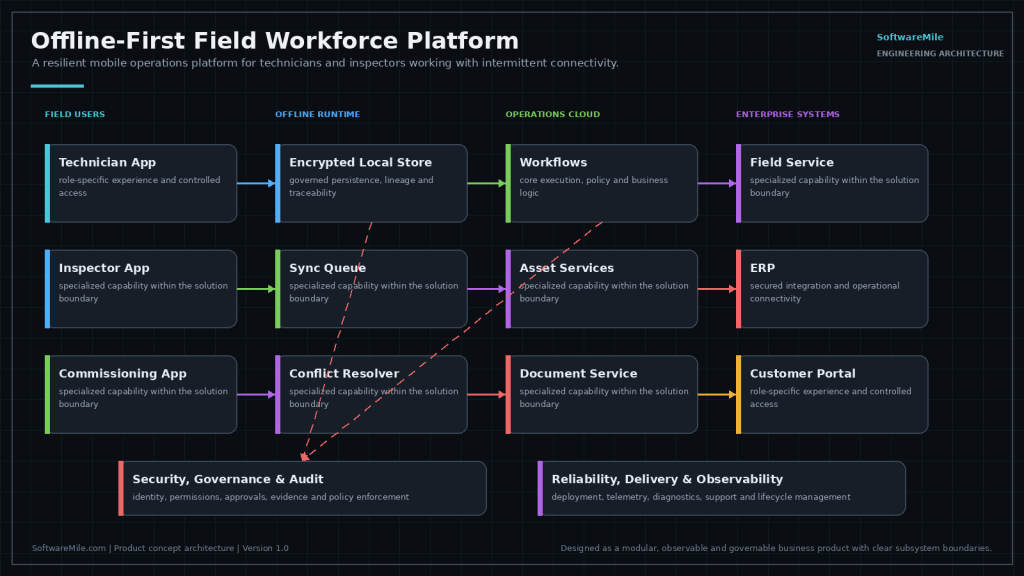
Field software is usually designed in an office with good wifi and deployed into mechanical rooms, basements, lift shafts and remote plant rooms. The moment connectivity drops, the app becomes a liability: work gets recorded on paper and typed in later, or worse, not recorded at all.
Status: product concept, in active development. This is something we are building, not something you can buy today. We publish our roadmap because the engineering thinking behind it is the useful part — and because we would rather show you the design than imply a finished product.
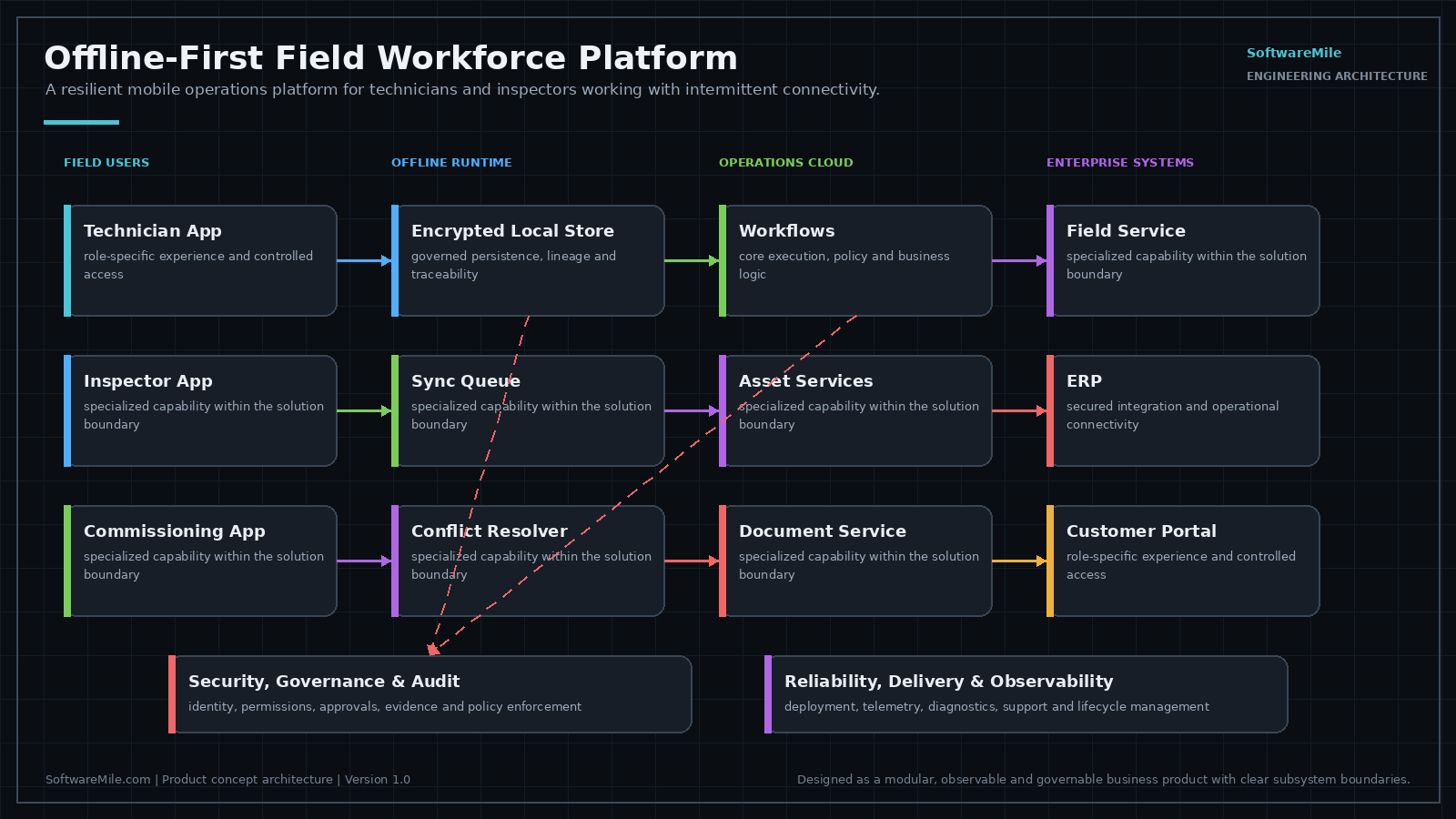
Designed Capabilities
- Assignment and route download — the day’s work travels with the technician.
- Site, asset and drawing packages — including the floor plans they actually need underground.
- Configurable forms and checklists — your procedures, not a vendor’s idea of them.
- Photos, signatures and evidence capture — proof collected at the point of work.
- Barcode and QR workflows — identify equipment without typing asset tags.
- Time, labor and material usage — captured on site, so invoicing is not archaeology.
- Conflict-safe offline synchronization — the hard part, designed for rather than hoped for.
- Supervisor review and exception handling — problems surface before they reach the customer.
Offline Is an Architecture, Not a Feature
Retrofitting offline support onto an online-first app produces sync conflicts and lost work. Designing for intermittent connectivity from the start — deciding upfront how conflicting edits resolve and what the technician sees when they do — is the difference between software the field trusts and software they work around.
Tell us if this matches a problem you have — early input shapes what we build first, and we will give you an honest view of where it stands.
Do You Need Offline, or Just Better Retries?
This is a product concept in development. It is not finished, and it is not something you can buy today. The design questions below are worth working through either way.
Offline-first is demanding to build and harder still to test, so it is worth checking whether you need it. If your crews have usable signal most of the day and the work is short forms submitted from the truck, a queue that retries failed submissions and shows what is still pending will usually cover you. That is not a lesser answer. For plenty of teams it is the correct one.
Offline-first earns its cost when people work for hours where there is no signal at all, when they need reference material while disconnected, or when losing an afternoon of captured work is an operational incident and not an annoyance. The question is not whether signal drops. It is what happens when it does.
What Makes Offline Synchronization Expensive?
The cost is not storing data on the device. It is deciding, record type by record type, what happens when two versions disagree, and then living with those decisions for the life of the system.
- Conflict rules differ per record. Last write wins is fine for a photo and wrong for a quantity, an inventory count, or a status a dispatcher also changed.
- Clocks lie. Ordering edits by device time fails the moment one tablet’s clock is wrong, so ordering has to come from somewhere more reliable.
- Schema changes reach devices late. A handheld that has been in a van for six weeks will sync against a data model that has moved on without it.
- Attachments are not rows. Photos and signed forms are large, fail differently, and need their own retry and resume behavior.
- Partial work has to survive. A half-finished inspection interrupted by an app update should still be there afterward, which constrains how state is stored.
What Should You Ask Any Field Software Vendor?
These questions separate software designed for the field from office software with a mobile view. They apply to anything you evaluate, including whatever we eventually ship.
- Can a technician tell, on the device, what has not yet reached the office?
- Can a supervisor distinguish work that was not done from work that was done but never uploaded?
- What happens to a form that is half filled in when the app updates itself?
- Which conflicts are resolved automatically, and which ones does a human get to see?
- How large is the offline package, and what happens when the device is nearly full?
Who This Is Being Designed Around
The design assumes a person who leaves in the morning with a route, works where connectivity is unreliable or absent, needs reference documents and asset history while disconnected, and is measured on completed jobs. That describes a lot of technicians, inspectors and service crews. If your mobile users are mostly in offices or vehicles with steady coverage, these assumptions do not fit and the platform would be over-engineered for you.
The Custom Build Route
Since the product does not exist to buy, the available answer is a custom build. That is our mobile app development work: native Android where rugged handhelds and older OS versions are part of the picture, cross-platform where the app is mostly forms, lists and photos. The offline design decisions above still have to be made. In a custom build they get made for your record types, your crews, and your tolerance for a wrong answer, and they get revisited when those change.
Frequently Asked Questions
What is this, exactly, and what is it not?
As designed, it is two pieces: a mobile client that holds a working copy of the day's assignments, forms, drawings and asset history on the device, and a sync service that reconciles what the device recorded against the system of record once the device reconnects. It is a capture and synchronization layer. It is not a CMMS, not an ERP, not a scheduling or dispatch engine, and not an invoicing system. The design assumes those already exist, that work is assigned somewhere else, and that the platform's job is to carry that work down to the device and write the result back. None of it can be deployed today.
What does it connect to, and what has to already exist on our side?
The design assumes a system of record you already run: a work order or maintenance system, an asset register, and somewhere that drawings and documents actually live. A few things about that side have to be true. Records need stable unique identifiers that survive between syncs, because a device that has been out of contact for weeks has to be able to say which asset it means. There has to be a write path and not only an export; a nightly CSV out with no way back in turns the integration into a queue somebody retypes. The source needs some form of change tracking, whether that is updated timestamps, a change feed, or version tokens, so a device can pull a delta rather than a full copy every night. Separately, the handhelds themselves have to be managed somewhere, since lock policy, OS updates and remote wipe are MDM functions the app cannot provide for itself.
How is a rollout designed to proceed?
Nothing installs today, so this is the order a build is designed to follow, and the order is deliberate, because reads are cheap to get wrong and writes are not. First, the record types are inventoried and a conflict rule is written down for each, since that decision constrains everything after it. Second, the connection to the system of record is designed to run read only, so packaging, delta sync and document rendering can be exercised while a wrong answer costs nothing. Third, the design brings up uncontested capture: photos, signatures, readings and notes are append only records that one person creates and nobody else edits, so they cannot conflict by construction. Fourth, contested writes come last, meaning statuses, quantities and counts that a dispatcher or a second technician can also change; this is the step the conflict rules exist for. Fifth, widening beyond the first crew is designed to be gated on what the sync telemetry from the previous step shows, not on a date.
How is it designed to integrate with the systems we already run?
Through an adapter per source system rather than one fixed schema, because your field names, status values and work order lifecycle are yours. The sync service holds the mapping, so the mobile client never learns the shape of your ERP. The write path is where the engineering is. Retries over bad connectivity mean at least once delivery, so every write is designed to carry a client generated idempotency key that the receiving system dedupes on, otherwise one retried completion becomes two work orders. Writes also have to respect edits made in the office while the device was gone, which is what optimistic concurrency is for: send the version or ETag the device last saw, let the server reject the write when it no longer matches, and route that rejection into the conflict rule instead of overwriting. Worth naming early, if your system of record has its own mobile app and crews use both, you have two writers, and the sync service cannot arbitrate an edit it never saw.
Where does the data live, who can see it, and what stays under our control?
The system of record stays yours; what sits on the handheld is designed to be a working copy with a retention window, after which synced work is cleared. Local storage is designed to sit behind the platform key stores, iOS Data Protection and the Android Keystore, which tie decryption to the device lock. That protection is only as strong as the lock policy, so shared handhelds that never lock are the weak case, and remote wipe is an MDM action that cannot reach a device that never reconnects. Photos deserve a specific decision: camera files carry EXIF metadata including GPS coordinates and timestamps, and whether that is stripped, left on the file, or promoted into the record is yours to set, with a labor dimension as well as a technical one. Access is designed to be auditable in both directions, meaning the record keeps what the device submitted and what the resolution did to it, not only the value that survived.
What would we have to provide or decide?
Several decisions the design cannot make for you, and that are not really technical questions. Whether technicians sign in as individuals on shared handhelds, and how long an offline session stays valid: offline authentication means a credential that cannot be rechecked or revoked until the device comes back, so a long window is convenient and a short one strands people mid shift. Who owns asset identity: barcode and QR workflows only work if the labels already on the equipment resolve to identifiers in your system of record, and if they do not, labeling is a project of its own. Drawing resolution and page count, since a full drawing set can exceed the free storage on a low end rugged handheld and resolution is the lever you control. Whether a technician can start work that is not on the route at all, and how that reconciles with a dispatcher who keyed the same job in by hand while the device was offline. And whether a supervisor can edit a technician's submitted record or only accept and reject it, which is an evidence question rather than a permissions preference: once a record is edited after the fact, it no longer shows what the technician saw at the point of work.
How would something like this be verified, when the failure only shows up in the field?
Turning wifi off is the easy case and not the interesting one. The expensive failures live in partial connectivity: a captive portal that answers every request with a 200 and a login page, a cellular link that completes the TCP handshake and then stalls halfway through a photo upload, DNS that resolves while nothing after it finishes. So the client is designed to treat reachable as something proven by a completed authenticated round trip, not by an operating system reachability flag, and attachment transfers are designed to resume from a byte offset rather than start over. On the service side, the checks worth building are the ones nobody can reproduce by hand: replaying recorded conflict scenarios per record type, injecting clock skew between devices to see which ordering rule holds, and applying payloads from an old client version against a newer server model to find out what schema drift actually does before a van does it for you.
What does it run on, and what do the mobile platforms actually allow?
The two platforms differ most in what they permit when the app is not on screen. iOS does not grant arbitrary background execution: background work is handed out by the operating system through limited background task and background transfer APIs, and the app can be suspended or terminated in between, so no sync can assume a continuous window. Android defers network access and alarms under Doze and app standby when a device is idle and unplugged, and scheduling runs through WorkManager constraints or a foreground service; on top of that, OEM battery managers on several device families are more aggressive than stock Android and will stop background work the documented APIs say should run. The design consequence is that background sync is treated as opportunistic rather than promised, and the reconciliation that matters is designed to happen in the moment the technician has the app open and a working link.